NEWS

Apple Seeds Fourth macOS Sierra 10.12.4 Beta to Developers & Public Beta Testers

02/28/2017

2054

Apple today seeded the fourth beta of an upcoming macOS Sierra 10.12.4 update to developers, one week after seeding the third macOS Sierra 10.12.4 beta and over a month after releasing macOS Sierra 10.12.3

The fourth macOS Sierra 10.12.4 beta is available for download through the Apple Developer Center or the software update mechanism in the 
Mac App Store for those who have previously installed a beta. 
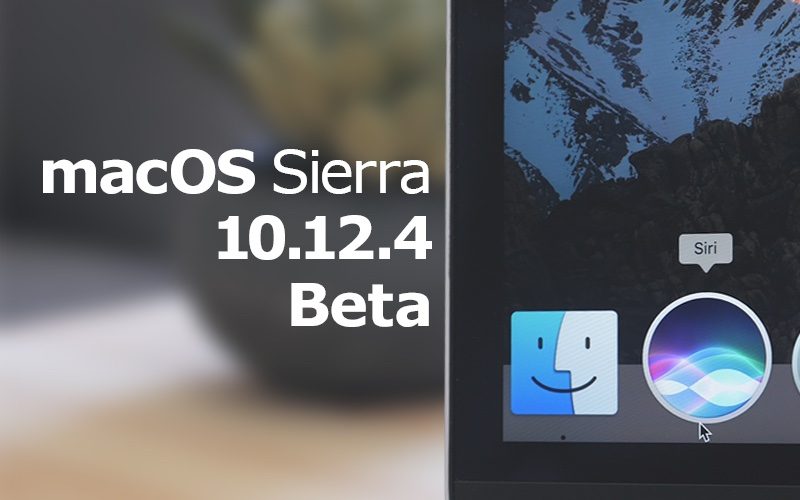

Apple Seeds Fourth macOS Sierra 10.12.4 Beta to Developers & Public Beta Testers


MacOS Sierra 10.12.4 brings iOS's Night Shift mode to the Mac for the first time. First introduced on iOS devices with iOS 9.3, Night Shift is designed to gradually shift the display of a device from blue to yellow, cutting down on exposure to blue light. Blue light is said to disrupt the circadian rhythm and is believed to interrupt sleeping patterns. 

Night Shift can be activated through the 
Displays section of System Preferences, where a setting to have it come on at sunset and turn off at sunrise is available. Night Shift can also be toggled on manually through the Notification Center or via Siri


The 10.12.4 update focuses mainly on Night Shift, but also includes dictation support for Shanghainese, cricket scores for Siri, improved PDFKit APIs, and iCloud Analytics options.


Source: macrumors
Windows
Mac OS
iOS
Linux
3uTools
Win 64-bit For this device
V6.0.1 2024-12-18
Download
Win 32-bit For this device
V6.0.1 2024-12-18
Download
3uTools
Intel Chip How to Identify Chip Type
V6.0.1 2024-12-18
Download
Apple Silicon
V6.0.1 2024-12-18
Download
How to Identify Chip Type
1.  Click the Apple icon in the top-left corner of the screen and select About This Mac.
2.  Check the Processor or Chip field to determine if it is "Intel" or "Apple".
Please use the 3uTools PC client to install the iOS client:
1、 Install either the Windows or Mac version of 3uTools on your computer
2、 Open the PC client and connect your device to the computer via USB cable
3、 After the connection is successful, wait for the computer to automatically install the mobile app for the device, or locate “Install Mobile App” on the computer and manually click to install.
3uTools
deb file
V6.0.1 2024-12-18
Download
rpm file
V6.0.1 2024-12-18
Download
Windows
Windows
iOS
iOS
Android
Android
TV
TV
3uAirPlayer
Win 64-bit For this device
V6.0.1 2024-12-18
Download
Win 32-bit For this device
V6.0.1 2024-12-18
Download
iOS Device Mirroring (No App Required)
1、 Install 3uAirPlayer on the Windows PC
2、 Open Control Center and select Screen Mirroring
3、 From the list, choose your PC to start mirroring
4、 Or connect your iOS device to the PC via USB to begin mirroring
Scan to get "3uAirPlayer" App
3uAirPlayer TV V6.0.1
2024-12-18
TV System Requirements: Android 7.0 or later
Download the TV installation package, copy it to a USB drive, insert it into your TV or set-top box, then select the file from the home screen to install.