 NEWS
NEWS
Apple Announces Q3 2018 Revenue of $53.3B
 08/02/2018
 1454
1454
Apple announces Q3 2018 revenue of $53.3b: 41.3m iPhones, 11.5m iPads, 3.7m Macs
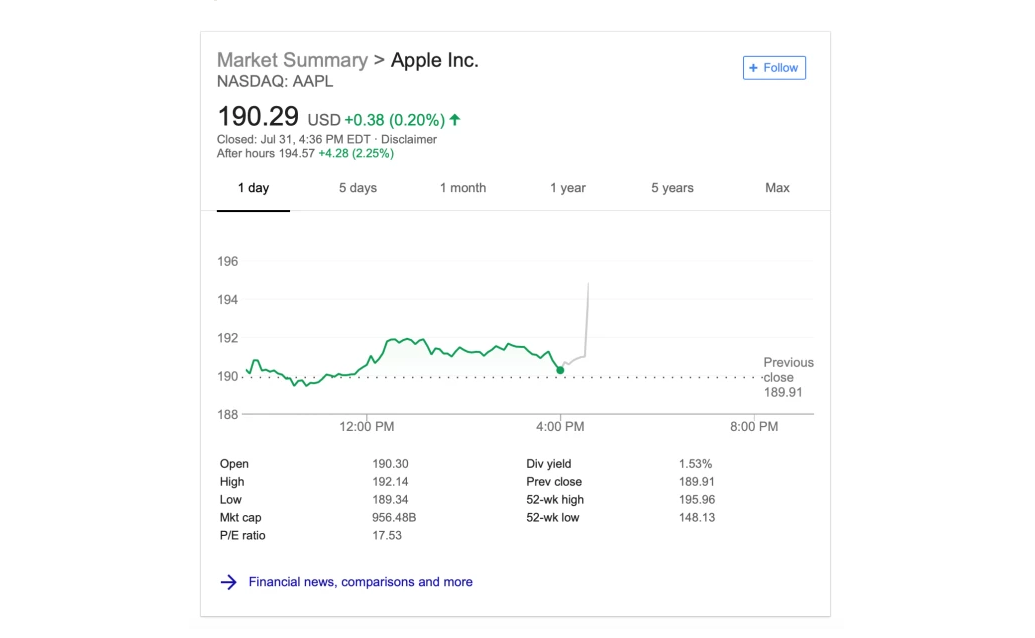
Just how much money did Apple make last quarter? It’s time to find out: Apple just announced its Q3 2018 results with $53.3 billion in revenue and $11.5 billion in profit backed by selling 41.3 million iPhones, 11.55 million iPads, and 3.7 million Macs. Apple had offered revenue guidance between $51.5 billion and $53.5 billion.
That compares to $45.4b in revenue, $8.72 billion profit, 41 million iPhones, 11.4 million iPads, and 4.29 million Macs sold the same quarter a year ago; and $61.1 billion in revenue, $13.8 billion in profit, 52.2 million iPhones, 9.1 million iPads, and 4.07 million Macs sold during the previous quarter.
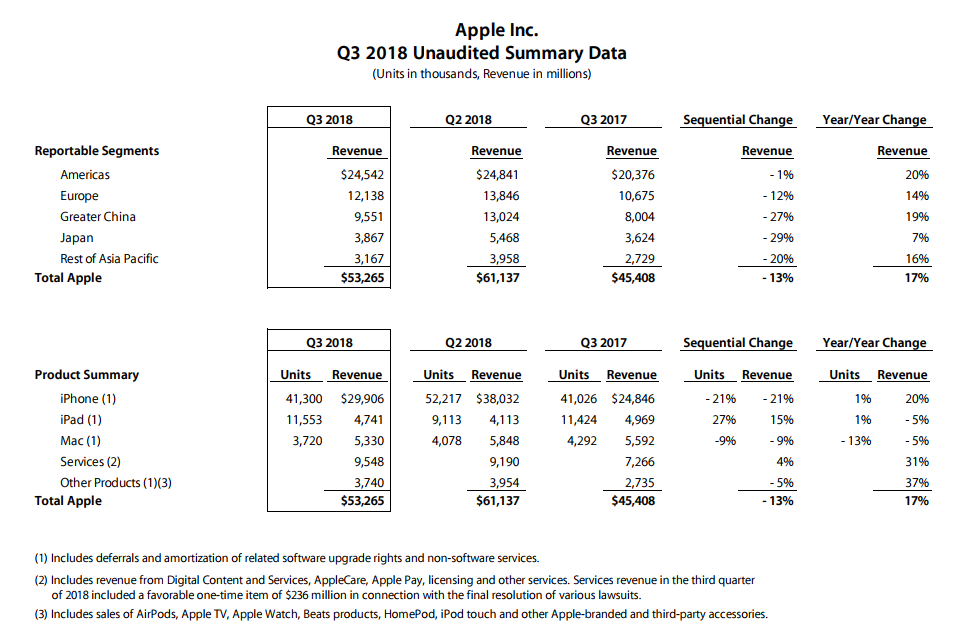
Apple projects revenue between $60 billion and $62 billion for 2018 Q4. Full press release after the break, and stick around for our earnings call live blog at the top of the hour:
Tim Cook:
“We’re thrilled to report Apple’s best June quarter ever, and our fourth consecutive quarter of double-digit revenue growth,” said Tim Cook, Apple’s CEO. “Our Q3 results were driven by continued strong sales of iPhone, Services and Wearables, and we are very excited about the products and services in our pipeline.”
Luca Maestri:
“Our strong business performance drove revenue growth in each of our geographic segments, net income of $11.5 billion, and operating cash flow of $14.5 billion,” said Luca Maestri, Apple’s CFO. “We returned almost $25 billion to investors through our capital return program during the quarter, including $20 billion in share repurchases.”
You could view the full report from this page.
Source: 9to5mac