 NEWS
NEWS
Chimera v1.2.4 Brings Support for A7-A8 Devices Running iOS 12.1.3-12.3 Beta
 07/16/2019
 2431
2431

The jailbreak tool revisions continue to roll out on Monday, starting with an update launched by the Electra Team early this morning to add more device and firmware support to Chimera for iOS 12.0-.12.3 beta.
The Electra Team announced the release of Chimera version 1.2.4 via Twitter, noting that it added support for 4K (A7-A8) devices running iOS 12.1.3-12.2 and some versions of the iOS 12.3 beta, making it the first modern jailbreak tool to do so:
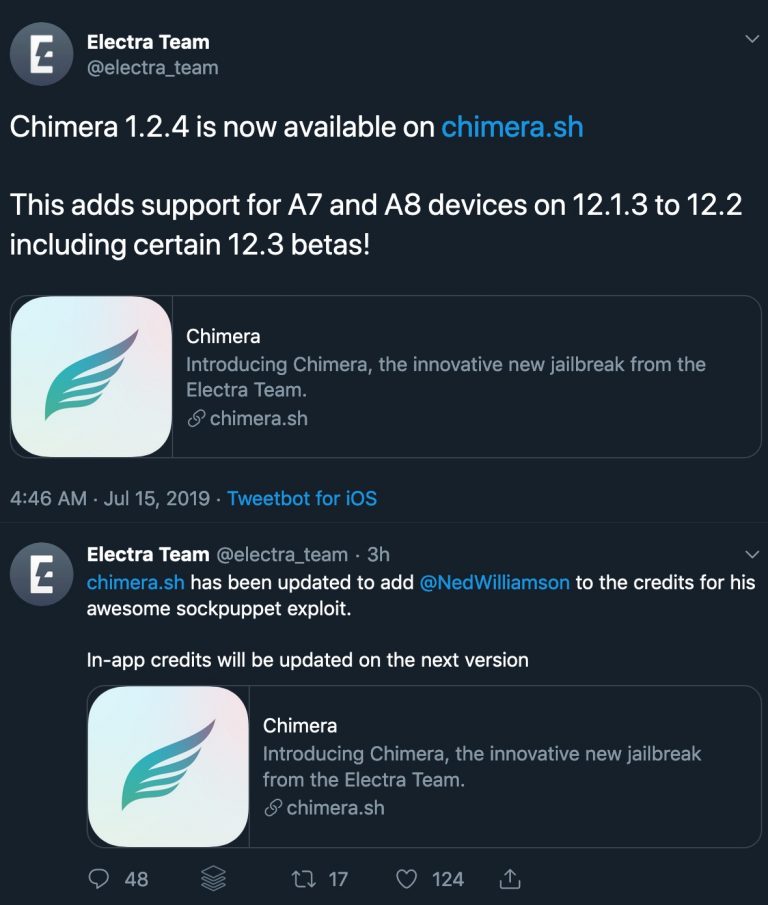
This is particularly good news for the community, as the tool previously only supported A9-A11 devices on iOS 12.1.3-12.3 beta. Notably, A12(X) devices are still not supported on iOS 12.1.3-12.3 beta at the time of this writing.
Shortly after the release, some Twitter users claimed the newfangled device support didn’t work, but it remains to be seen if this was a mere issue with the Sock Puppet exploit’s success rate or if the device support is legitimately broken.
As we know from older announcements, Chimera does not support iOS 12.3 beta 6, but it seems to work on “some” earlier iOS 12.3 beta builds. We can only presume from this fact that Chimera is intended to work with iOS 12.3 beta 5 and earlier, but a full list of supported beta builds has not yet been provided, leaving some guesswork on behalf of the community.
Apart from support for A7-A8 devices, Chimera v1.2.4 doesn’t appear to bring any new features or improvements to the table. That said, it’s not the end of the world if you’re using an earlier version, but we would still recommend downloading and deploying the latest version at your earliest convenience.
Chimera is a free download from the Electra Team’s official website, and if you’d like to know more about how to jailbreak with Chimera, then we’ve got a step-by-step tutorial showing you how.
Have you managed to jailbreak an A7 or A8 device running iOS 12.1.3-12.3 beta with Chimera v1.2.4 yet? Let us know in the comments section below.
Source: IDB