NEWS

Unc0ver v3.4.0 Released to Support Ned Williamson’s Sock Puppet 2 Exploit

07/24/2019

1679

It wasn’t that long ago that we shared news regarding the latest updates for the Chimera and ChimeraTV jailbreaks, and as it would seem, Pwn20wnd has been working hard on an update of his own for the unc0ver jailbreak.


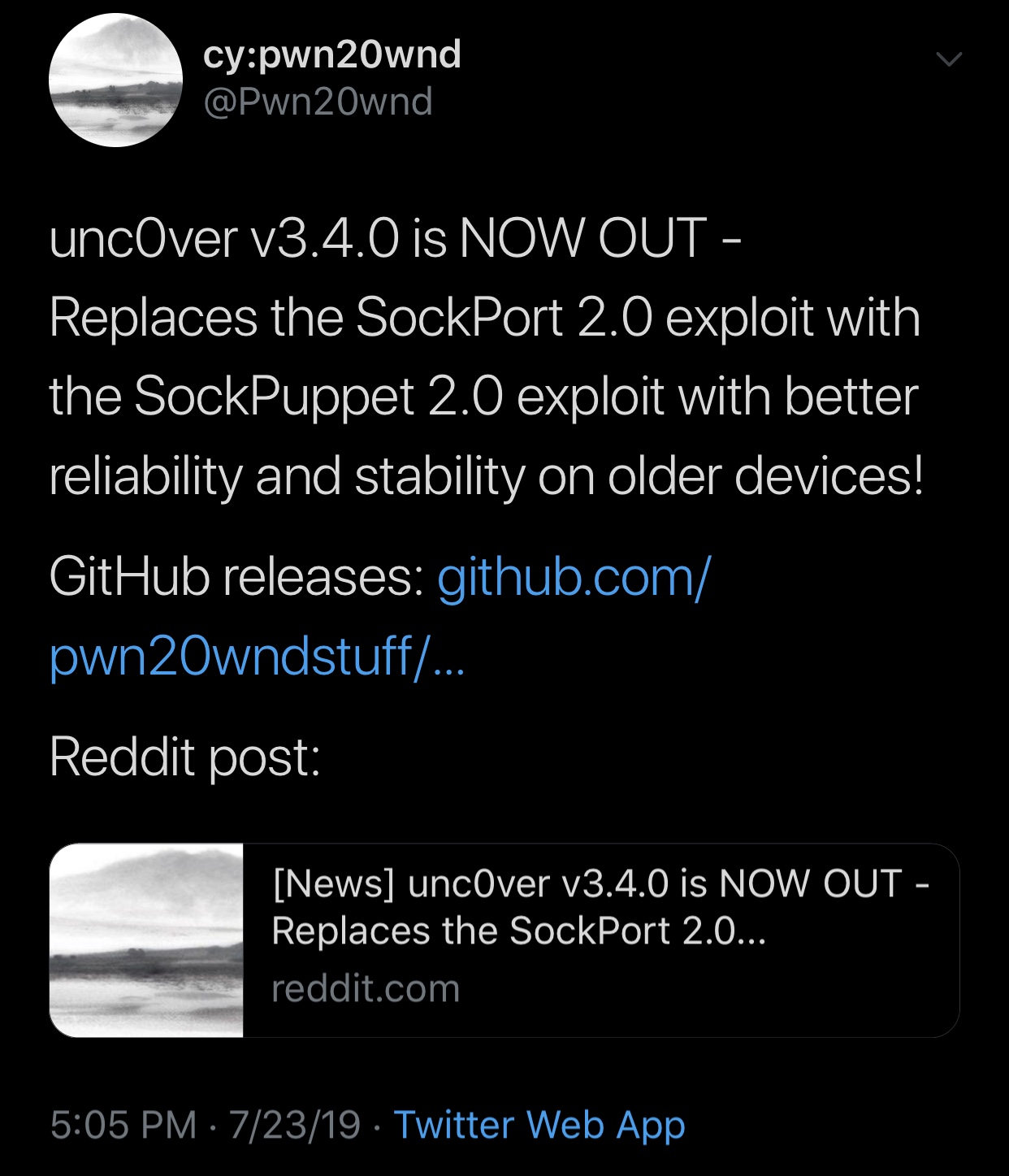
The hacker announced the release of unc0ver v3.4.0 via Twitter just a few minutes ago, noting that it would implement @NedWilliamson’s new and improved Sock Puppet 2 exploit in place of Sock Port on older devices, as it seems to offer more reliability:

Unc0ver v3.4.0 Released to Support Ned Williamson’s Sock Puppet 2 Exploit

The official change log for unc0ver v3.4.0 via Pwn20wnd’s GitHub page is as follows:

07/23/2019 – v3.4.0 was released for production with the following changes:

– Replace the SockPort 2.0 exploit with the SockPuppet 2.0 exploit with better reliability and stability on older devices


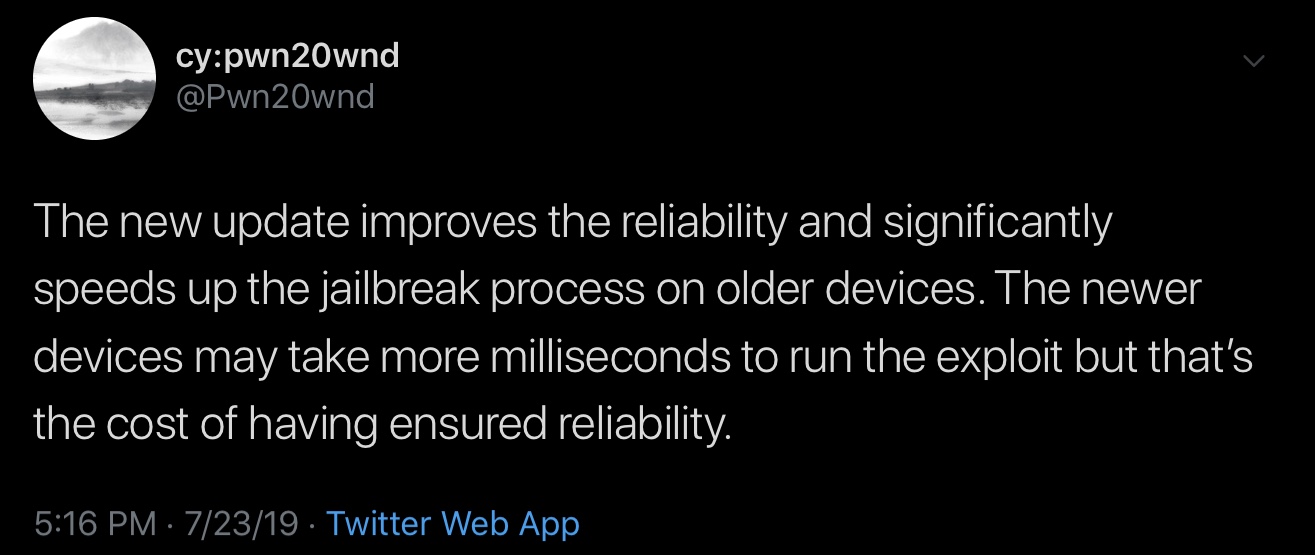
In a follow-up Tweet, Pwn20wnd added that the Sock Puppet 2 exploit would exponentially increase the speed of jailbreaking older handsets in addition to offering improved reliability, and while the exploit is somewhat slower on newer devices than Sock Port, it is apparently more reliable, and this is one of the reasons Pwn20wnd used for justifying the exploit switch:
Unc0ver v3.4.0 Released to Support Ned Williamson’s Sock Puppet 2 Exploit

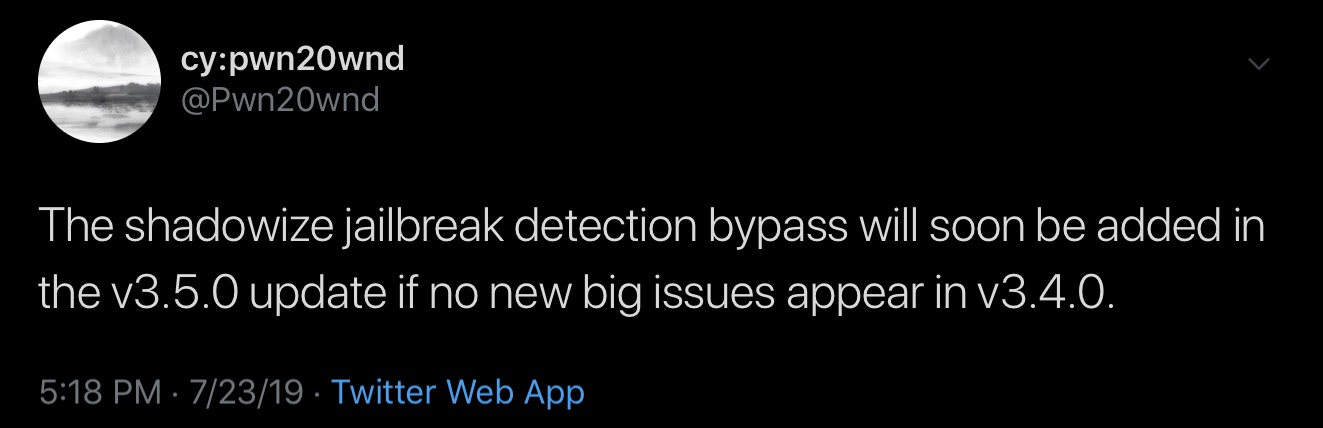
Pwn20wnd also said that he would soon implement Jake James’ jailbreak detection bypass into a future iteration of unc0ver if v3.4.0 didn’t exhibit any long-term stability issues, but it remains to be seen how much longer it’ll be before this change materializes:
Unc0ver v3.4.0 Released to Support Ned Williamson’s Sock Puppet 2 Exploit

As always, you can download the latest version of unc0ver from Pwn20wnd’s official GitHub page. If you’ve been experiencing trouble trying to jailbreak or any instabilities after doing so, then using v3.4.0 might be in your best interest.


Source: idownloadblog
Windows
Mac OS
iOS
Linux
3uTools
Win 64-bit For this device
V6.0.1 2024-12-18
Download
Win 32-bit For this device
V6.0.1 2024-12-18
Download
3uTools
Intel Chip How to Identify Chip Type
V6.0.1 2024-12-18
Download
Apple Silicon
V6.0.1 2024-12-18
Download
How to Identify Chip Type
1.  Click the Apple icon in the top-left corner of the screen and select About This Mac.
2.  Check the Processor or Chip field to determine if it is "Intel" or "Apple".
Please use the 3uTools PC client to install the iOS client:
1、 Install either the Windows or Mac version of 3uTools on your computer
2、 Open the PC client and connect your device to the computer via USB cable
3、 After the connection is successful, wait for the computer to automatically install the mobile app for the device, or locate “Install Mobile App” on the computer and manually click to install.
3uTools
deb file
V6.0.1 2024-12-18
Download
rpm file
V6.0.1 2024-12-18
Download
Windows
Windows
iOS
iOS
Android
Android
TV
TV
3uAirPlayer
Win 64-bit For this device
V6.0.1 2024-12-18
Download
Win 32-bit For this device
V6.0.1 2024-12-18
Download
iOS Device Mirroring (No App Required)
1、 Install 3uAirPlayer on the Windows PC
2、 Open Control Center and select Screen Mirroring
3、 From the list, choose your PC to start mirroring
4、 Or connect your iOS device to the PC via USB to begin mirroring
Scan to get "3uAirPlayer" App
3uAirPlayer TV V6.0.1
2024-12-18
TV System Requirements: Android 7.0 or later
Download the TV installation package, copy it to a USB drive, insert it into your TV or set-top box, then select the file from the home screen to install.