
NEWS

Checkm8 Exploit Opens Door to Unpatchable Jailbreak on iPhone 4S Through iPhone X

09/29/2019

2373

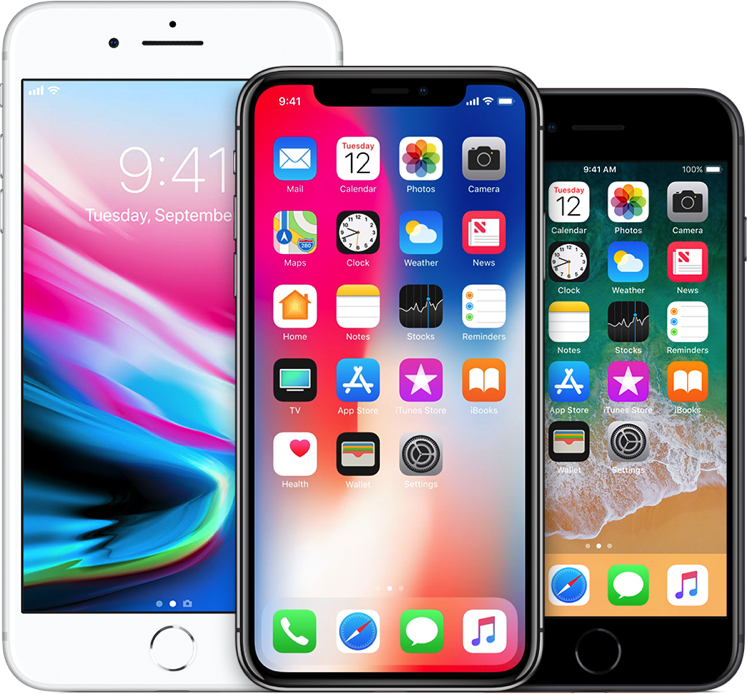
A security researcher who goes by "axi0mX" on Twitter today released "checkm8," which he claims is a bootrom exploit for iOS devices equipped with A5 through A11 chips, including the iPhone 4S through iPhone X, several iPad models dating back to the iPad 2, and the fifth-generation iPod touch and later. 
Checkm8 Exploit Opens Door to Unpatchable Jailbreak on iPhone 4S Through iPhone X


This would be the first publicly released bootrom exploit since the iPhone 4 in 2010 and pave the way for a permanent, non-patchable jailbreak on hundreds of millions of affected iOS devices. Since the bootrom is read-only, Apple cannot patch this type of exploit with a software update. 

The bootrom exploit has many other possibilities on affected devices, including downgrading iOS versions without SHSH blobs or APTickets, dual booting iOS, and running custom firmwares, according to jailbreak enthusiasts. 

This is significant news in the jailbreaking community, as the last bootrom exploit known as "limera1n" was released by George "geohot" Hotz nearly a decade ago for devices with A4 chips and earlier, including the iPhone 4, iPhone 3GS, the third- and fourth-generation iPod touch, and the original iPad.


Source: MacRumors
Windows
Mac OS
iOS
Linux
3uTools
Win 64-bit For this device
V6.0.1 2024-12-18
Download
Win 32-bit For this device
V6.0.1 2024-12-18
Download
3uTools
Intel Chip How to Identify Chip Type
V6.0.1 2024-12-18
Download
Apple Silicon
V6.0.1 2024-12-18
Download
How to Identify Chip Type
1.  Click the Apple icon in the top-left corner of the screen and select About This Mac.
2.  Check the Processor or Chip field to determine if it is "Intel" or "Apple".
Please use the 3uTools PC client to install the iOS client:
1、 Install either the Windows or Mac version of 3uTools on your computer
2、 Open the PC client and connect your device to the computer via USB cable
3、 After the connection is successful, wait for the computer to automatically install the mobile app for the device, or locate “Install Mobile App” on the computer and manually click to install.
3uTools
deb file
V6.0.1 2024-12-18
Download
rpm file
V6.0.1 2024-12-18
Download
Windows
Windows
iOS
iOS
Android
Android
TV
TV
3uAirPlayer
Win 64-bit For this device
V6.0.1 2024-12-18
Download
Win 32-bit For this device
V6.0.1 2024-12-18
Download
iOS Device Mirroring (No App Required)
1、 Install 3uAirPlayer on the Windows PC
2、 Open Control Center and select Screen Mirroring
3、 From the list, choose your PC to start mirroring
4、 Or connect your iOS device to the PC via USB to begin mirroring
Scan to get "3uAirPlayer" App
3uAirPlayer TV V6.0.1
2024-12-18
TV System Requirements: Android 7.0 or later
Download the TV installation package, copy it to a USB drive, insert it into your TV or set-top box, then select the file from the home screen to install.